how to embded aikau Button on widgetsForToolbar in alfresco


Options
- Mark as New
- Subscribe to RSS Feed
- Permalink
10-25-2016 08:10 AM
Hi,
when minimize browser size, aikau alfButton on widgetsForToolbar[] is not placed inside toolbar widget. i have used following
| widgetsForToolbar: [ | ||||
| { | ||||
| id: "CREATE_FACET_BUTTON", | ||||
| name: "alfresco/buttons/AlfButton", | ||||
| config: { | ||||
| label: "Toolbar test " | ||||
| } | ||||
| } |
are there any solution to keep this button inside toolbar widget.
Labels:
- Labels:
-
Archive
4 REPLIES 4


Options
- Mark as New
- Subscribe to RSS Feed
- Permalink
10-25-2016 08:47 AM
How small are you making the browser? Maybe you can provide some screenshots of what is happening? Although you can define any Aikau widget within any other widget, some will work better than other... so if you're using the toolbar then maybe using alfresco/menus/AlfMenuBarItem might be a better widget choice?
Options
- Mark as New
- Subscribe to RSS Feed
- Permalink
10-25-2016 09:05 AM
| widgetsForToolbar: [ | ||||||
| { | ||||||
| name: "alfresco/layout/CenteredWidgets", | ||||||
| config: { | ||||||
| widgets: [ | ||||||
| { | ||||||
| id: "DOCLIB_PAGINATION_MENU", | ||||||
| name: "alfresco/documentlibrary/AlfDocumentListPaginator", | ||||||
| widthCalc: 360, | ||||||
| } | ||||||
| ] | ||||||
| } | ||||||
| } | ||||||
| ], |
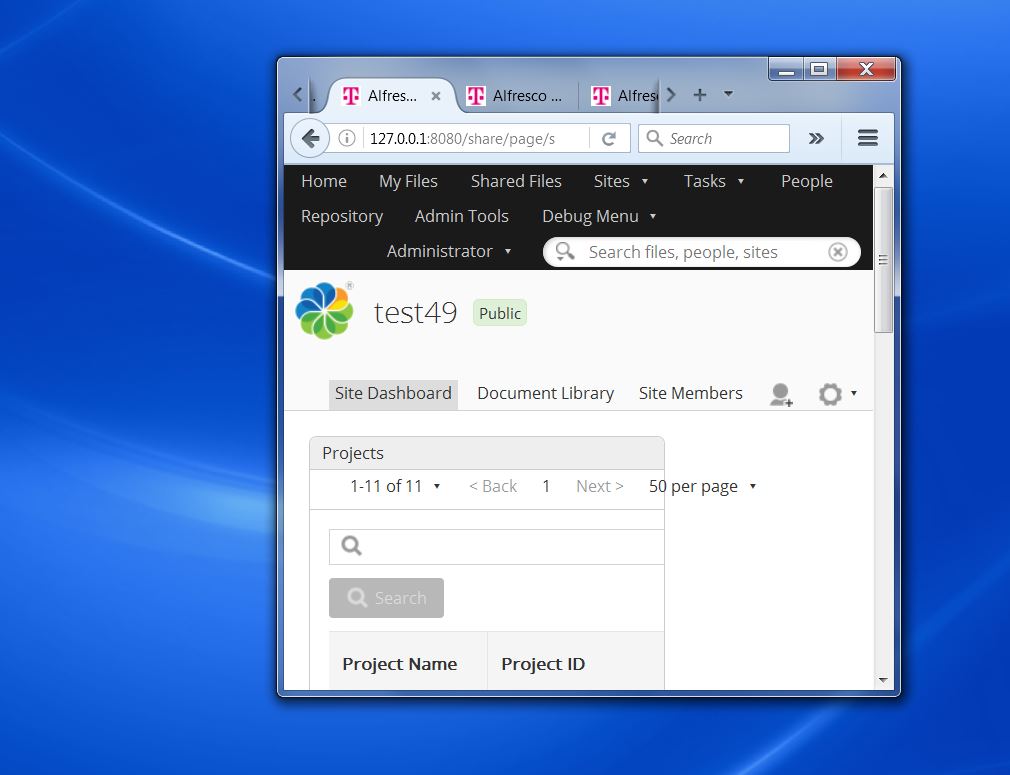
Here i attached my proper implementation and screenshot.
Options
- Mark as New
- Subscribe to RSS Feed
- Permalink
10-25-2016 09:10 AM
Share (and therfore Aikau) only supports a minimum browser resolution of 1064 x 768 pixels. The screenshot would appear to show a browser window smaller than that. Is there any particular reason why you need to have such a small window?
Options
- Mark as New
- Subscribe to RSS Feed
- Permalink
10-25-2016 09:49 AM
there is no particular reason . i just tested layout and i thought this may be mistake, because content of dashlet should not go out
thanks dave draper for immediate reply
